 G Force Logbook and Scheduling
Import, print and export
Bring your logbook in, and take it anywhere.
Import your history from another logbook app or a spreadsheet, print classic paper logbook pages, and export a spreadsheet whenever you like. Your logbook is yours, and you can take all of it with you.
Updated September 2026.
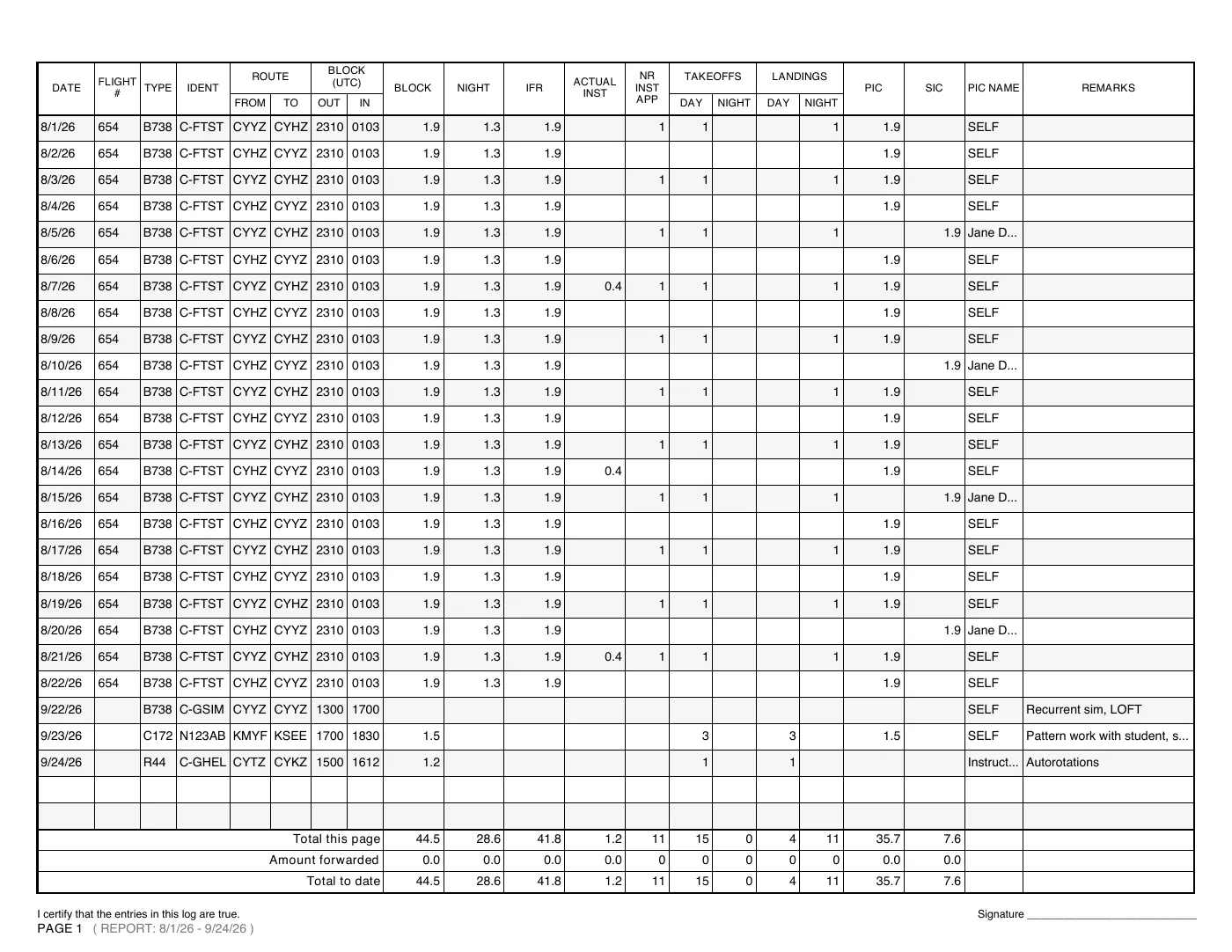
In, out and on paper
Import a file
A CSV or tab-separated file from another logbook app's export or your own spreadsheet. You match its columns to the logbook's before anything is added.
Missing columns worked out
No total, night, cross-country, IFR or PIC and SIC columns? They can be worked out from each flight's out and in times.
No duplicates, and undo
Flights you already have aren't added twice; missing details are filled in instead. Undo a whole import from Recent changes.
Printed like paper
FAA styles, the Transport Canada spread and the EASA logbook, on letter or A4, with page totals, amounts forwarded and your signature on every page.
Spreadsheet export
Your logbook as a spreadsheet or a CSV file, in the columns of your authority, whenever you like.
Yours to keep
Export everything at any time, and delete your account and all of it when you choose.