 G Force Logbook and Scheduling
Airline crew schedule app
Your airline roster, synced to your phone.
G Force Logbook and Scheduling reads your roster from your airline's crew website and shows it on your phone and computer: flights, duties, reserve, training and days off in local time, with check-in and check-out, layovers and hotels, the crew on every flight, and what changed since you last looked.
Updated September 2026.

Everything on your roster, laid out for crew
Sync when you want
Tap Sync on your phone and the app reads your roster with your own sign-in. It also reads next month once it's out. Syncing only reads; your airline's system stays the official record.
Changes spotted for you
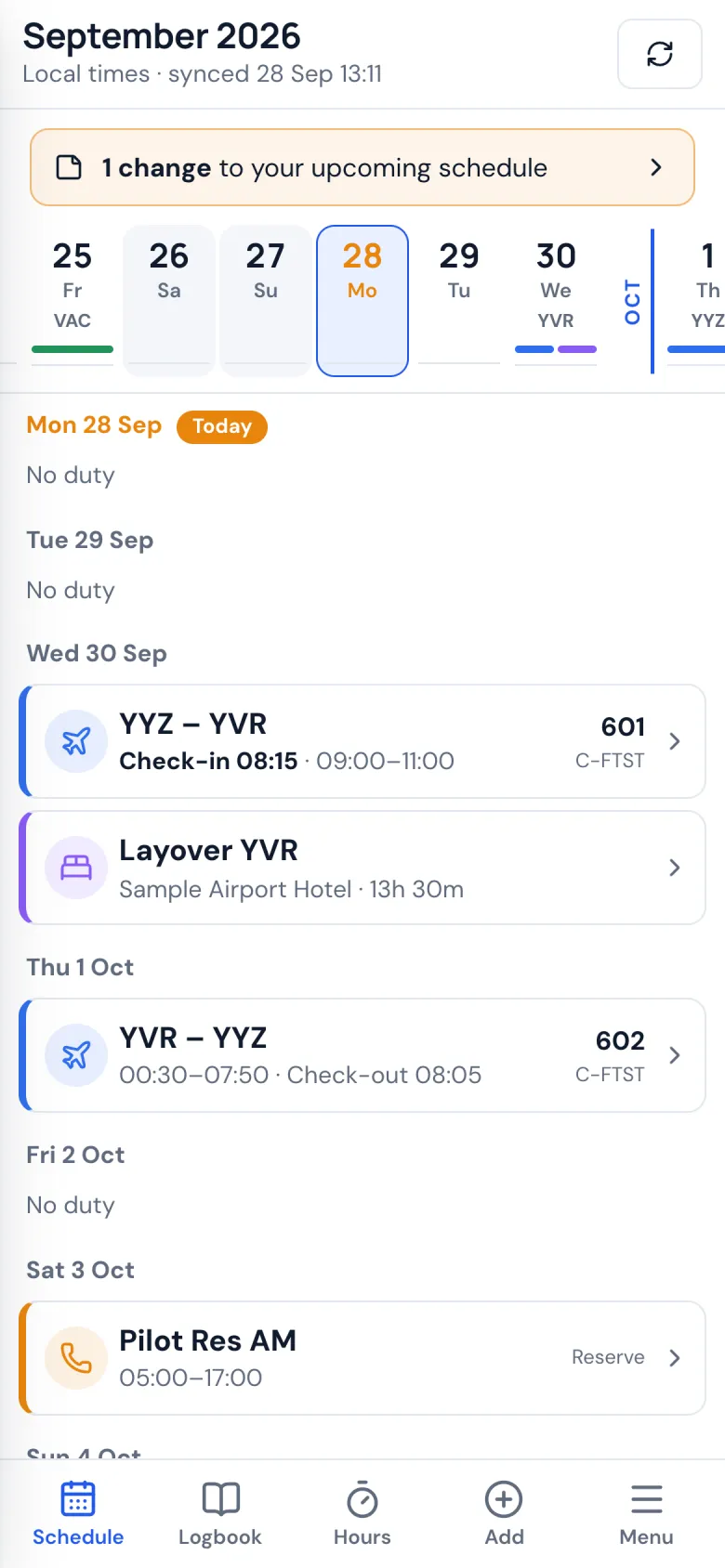
What changed since your last sync is highlighted, from new times and aircraft to crew coming and going, until you mark it as seen.
Layovers and hotels
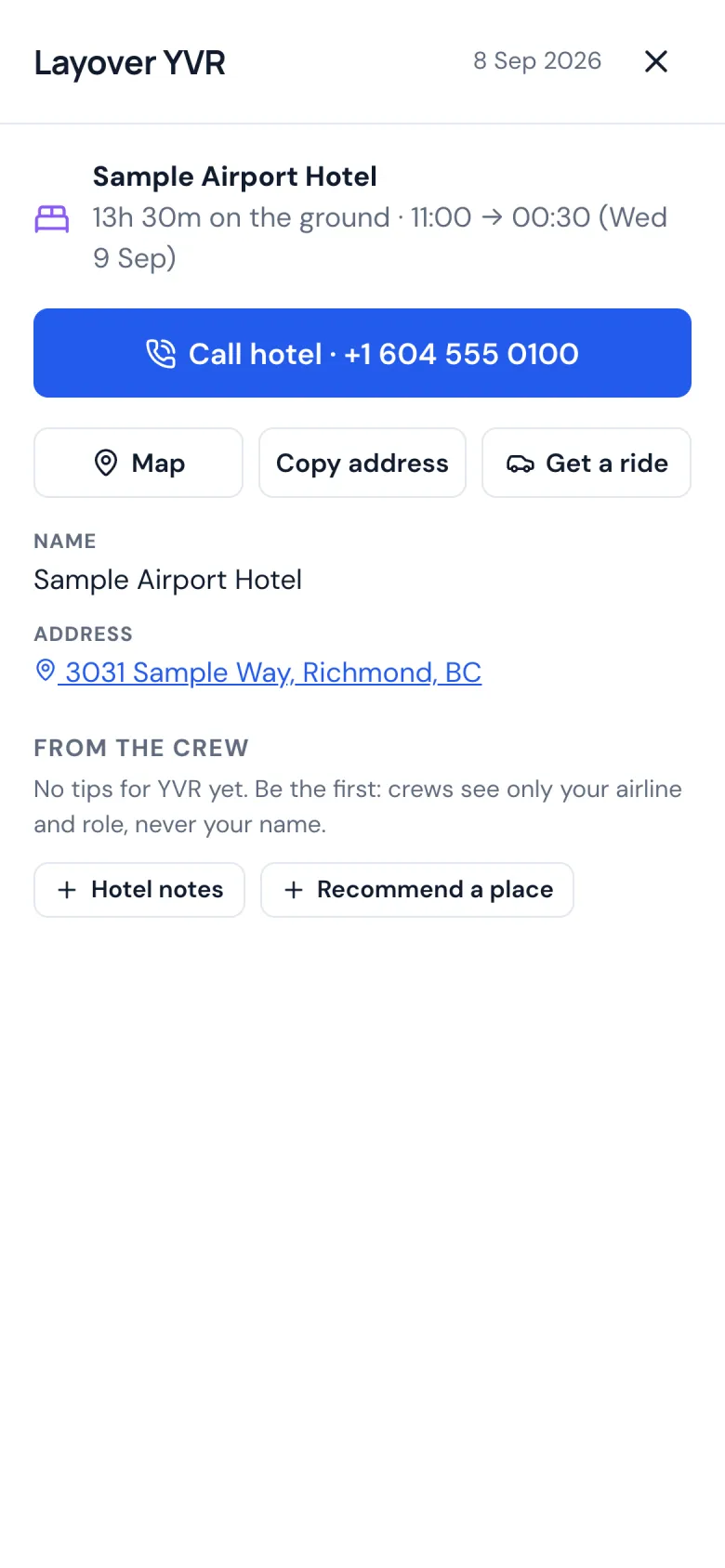
Your hotel with a big call button, the map, the address to copy, and a ride back in your ride app with the hotel already set as the destination.
Who you're flying with
The crew on every flight, how often you have flown together, and your own notes and numbers for colleagues, which only you see.
Hours and TAFB
Hours this month and this year, and time away from base for per diem, month by month and trip by trip.
On your phone, even offline
The Android app and any web browser, with the iPhone app on the way. Your schedule stays on your phone for when there's no signal.
Your day, at a glance
A strip of days across the top and your duties below, in the local time of each airport. Reserve, training, vacation and days off are shown for what they are, and nights at your base count as home, not layovers.
Your hotel, one tap away
Open your layover and tap Call hotel. Tap Get a ride and your ride app opens with the hotel as the destination. Crew tips for the city are right there too: restaurants, hotel notes and airport tips from other crews, posted without names.
Is your airline next?
Roster sync works with one airline so far, and more are on the way. The app learns a new airline from an example of its schedule, which takes about 15 minutes to send from a computer.
Help add your airline